Legal
32 Kenyan families to receive Ksh.11.3 billion in Boeing crash compensation
Read More
Access professional tools, ready-to-use templates, latest industry news, comprehensive exams, and powerful developer APIs. Your entire digital workspace securely in one place.
Tools, templates, news, past exams, and APIs — your complete digital workspace
Master your entire digital workspace in three simple steps
Read the latest global news, select a professional template, take a practice exam, or upload your own files.
Use our 100+ smart tools to convert and edit documents, or easily customize templates to your exact needs.
Instantly download your finished documents, track your exam progress, and stay ahead of the curve.
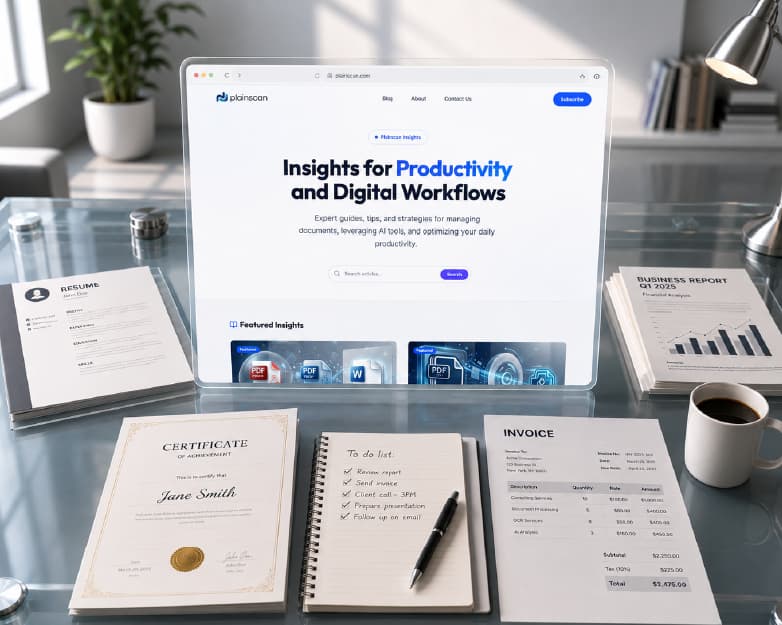
Save time and elevate your documents with our carefully curated library of trending templates. From executive resumes to compliant business invoices, create high-quality, formatted documents instantly.
Accelerate your career and achieve top scores with our comprehensive library of practice exams, detailed mock tests, and certification preparation materials.
Don't just read the material—test your knowledge in a simulated environment. Our interactive mock exams adapt to your learning pace, providing real-time scoring and comprehensive feedback to guarantee you're exam-ready.

Over 1M+ Practice Questions Answered
One part of your workspace — 111 tools to convert, edit, and optimize PDFs, images, and documents.
Integrate our powerful document processing, OCR, and AI capabilities directly into your own applications. Built for developers with comprehensive documentation and a pay-as-you-go pricing model.
const response = await fetch('https://api.plainscan.com/v1/ocr', {
  method: 'POST',
  headers: {
    'Authorization': 'Bearer YOUR_API_KEY',
    'Content-Type': 'application/json'
  },
  body: JSON.stringify({
    imageUrl: 'https://example.com/invoice.jpg',
    extractTables: true
  })
});

const data = await response.json();
console.log(data.text);Whether you're a student, professional, or running a team — we've got you covered


Get work done in seconds across tools, templates, and more
Files auto-delete after 24 hours
Fully responsive on all devices
Tools, templates, news, and exams in one workspace
Start free, upgrade when you need more power
Buy credits when you need them. No subscription required. Credits unlock Pro features and never expire.
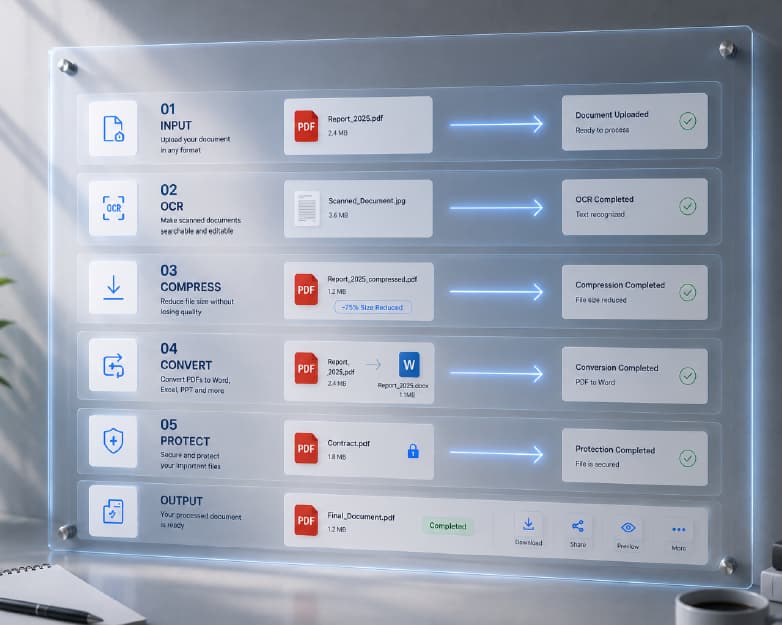
Convert, compress, merge, split, and edit PDFs and images with 111+ secure browser-based tools. From PDF to Word and OCR to AI summarization — handle every document task in one place.
Skip the blank page. Use ready-made templates for resumes, invoices, certificates, business letters, and more. Customize and download in minutes for work, school, or personal projects.
Stay informed with curated news across technology, business, and global trends. Plainscan brings you daily updates so you can learn, plan, and stay ahead without leaving your workspace.
Prepare for professional certifications with practice exams and mock tests. Build confidence before the real exam with structured questions across IT, security, cloud, and project management topics.
Everything you need to know about Plainscan
Plainscan is an all-in-one digital workspace offering document tools, professional templates, daily global news, and practice exams. Use it for PDF conversion, template creation, staying informed, and Preparation — all free to start.
No. All Plainscan tools run directly in your web browser. There is no software to download or install. You can use Plainscan on any device with a modern browser.
Plainscan processes files on secure servers using encrypted connections (HTTPS). Files are automatically deleted within 24 hours of upload and are never shared with third parties.
Yes, after creating a free Plainscan account, users can process up to 4 documents per day using our basic PDF tools (AI features are excluded). This resets every 24 hours. For unlimited daily processing and full AI tool access, upgrading to Pro provides everything you need. View full plan details.
Free plan users can upload files up to 50 MB in size. Plainscan Pro and Teams plan subscribers have no file size restrictions and can upload documents of any size.
Yes. Plainscan is fully responsive and works on smartphones and tablets through any modern mobile browser including iOS Safari and Android Chrome without requiring an app download.
Join thousands using Plainscan for tools, templates, news, and exam prep — all in one workspace